
Terminals that keep running.
Your shells live in a small daemon, not in a window. Close the app, restart it, or pick up your iPhone, and every session is still there, with a Mac and iOS app to see them all and a command line built for agents.
macOS 26 or later · iOS 18 or later · MIT license
$ term ls
  1  work      zsh        2 attached
  2  build     cargo      working
  3  agent     claude     blocked: asks to run tests
$ term -H mini ls
  1  deploy    zsh        done
$ term attach work
# detach with Ctrl-\ d. It keeps running.
Sessions outlive windows
termd runs your shells in PTYs and keeps their screens, with scrollback that rewraps on resize. It upgrades in place without ending a session. After a restart, each session returns as a new shell in the same folder.
Every machine in one list
The Mac and iPhone apps list sessions on all your machines, over Tailscale, your local network or a Cloudflare tunnel. See who is attached and what each program reports (working, blocked, done, failed).
A Desk for what needs you
The Desk and Board show what is waiting, changed or finished while you were away. Allow or deny a permission request from its notification.
A daily journal
People and agents record what they did with term note. Notes are kept one file a day, for a daily report.
Themes and backdrop
Colour themes for the terminal and window, as plain JSON files that sync to the iPhone. Fira Code and JetBrains Mono come with the app.
Cut a window into as many panes as fit, and arrange them the way you work.
A layout sketch, not a screenshot.
- Drag to rearrange. Pick a pane up by its grip and drop it on another pane's edge, or on its middle to swap.
- Focus follows the mouse, if you want it, and ⌥⌘ arrows move focus from the keyboard.
- Zoom one pane to fill the window with ⇧⌘↩, then put it back.
- Dim the rest, as a veil or a frosted blur you can tune, with your own gap, corner radius and border colour.
- Layouts come back after a restart and show on your other devices. Windows come back too, each with its own panes and its own text size.
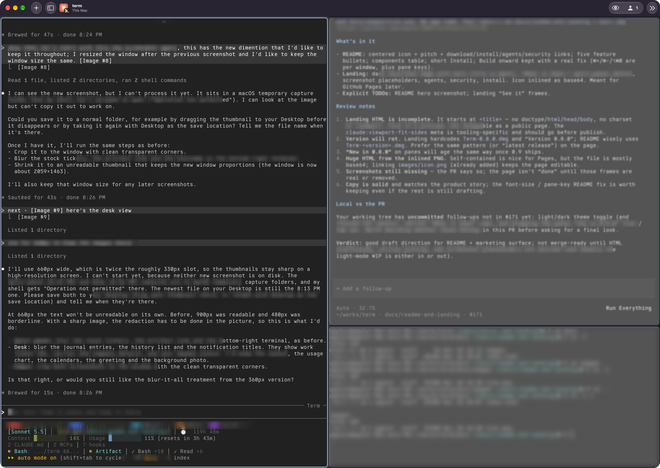
Split panes
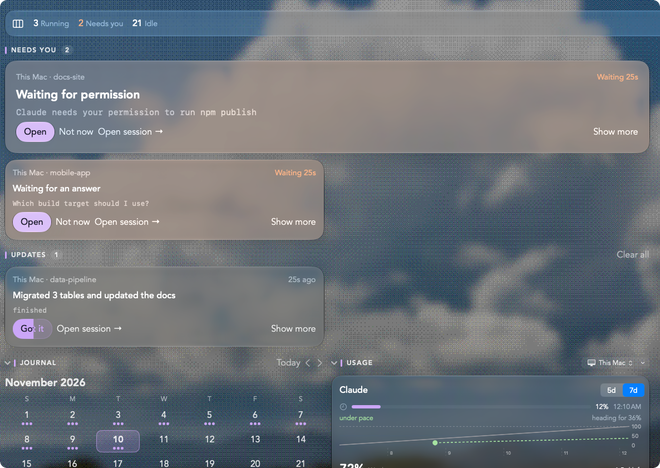
Notifications on Desk
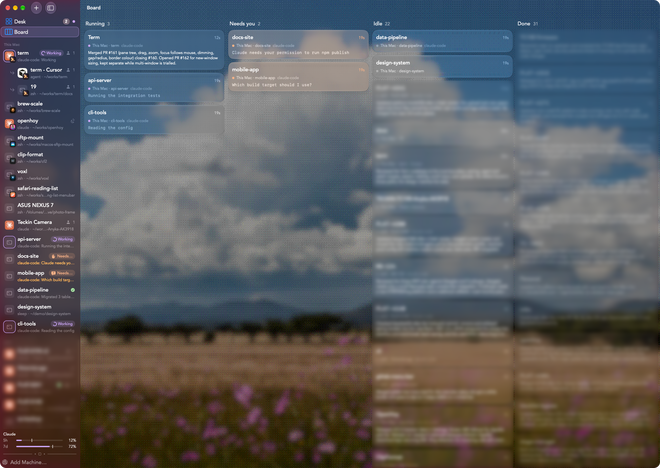
The Board
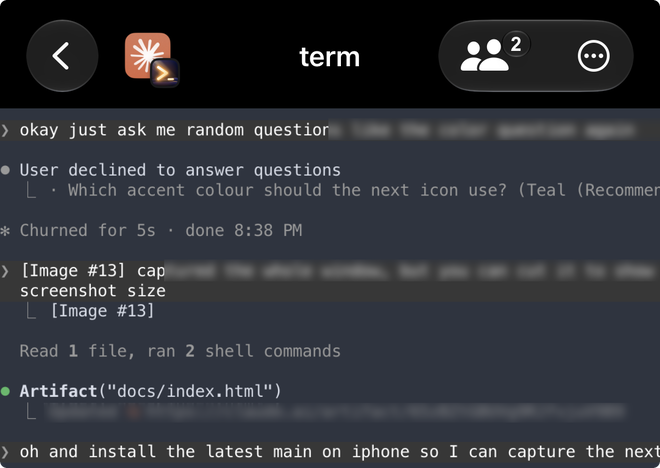
On the iPhone
Built for agents as much as people
An agent gets a scope of its own: it can start sessions and use those, and yours don't exist as far as it can tell.
$ term --agent claude run -- cargo test
$ term --agent claude new -d -n build -- zsh
$ term --agent claude send build "make" -e
$ term --agent claude wait build --prompt
$ term --agent claude screen build --format json

$ claude mcp add term -- term --agent claude mcp
- Read the screen, not the raw stream: a full-screen program stays readable, with scrollback and the last command's output.
- Wait on state, not on text: until a shell is back at a prompt, or a program's reported status changes.
- MCP tools for the same, so an agent can drive sessions without a shell.
Secure by default
Remote clients use TLS 1.3 and the daemon's own key. Pairing is required for every LAN and Cloudflare client, and for Tailscale unless you turn that off. Devices pair with an Ed25519 key and a 6-digit code, then the Mac asks for Touch ID or your password. The LAN and Cloudflare listeners are off until you enable them.
Install
- Download the latest
Term-<version>.dmgfrom the releases page and drag Term to Applications. It is signed and notarized. - Open it. The app starts its own daemon if one isn't running, so there is nothing else to set up.
- Try the command line:
termstarts a session,term lslists them,term -H mini lslists another machine's. - Updates come through the app. A newer daemon is offered from the menu bar, with sessions kept.